01 · Brief
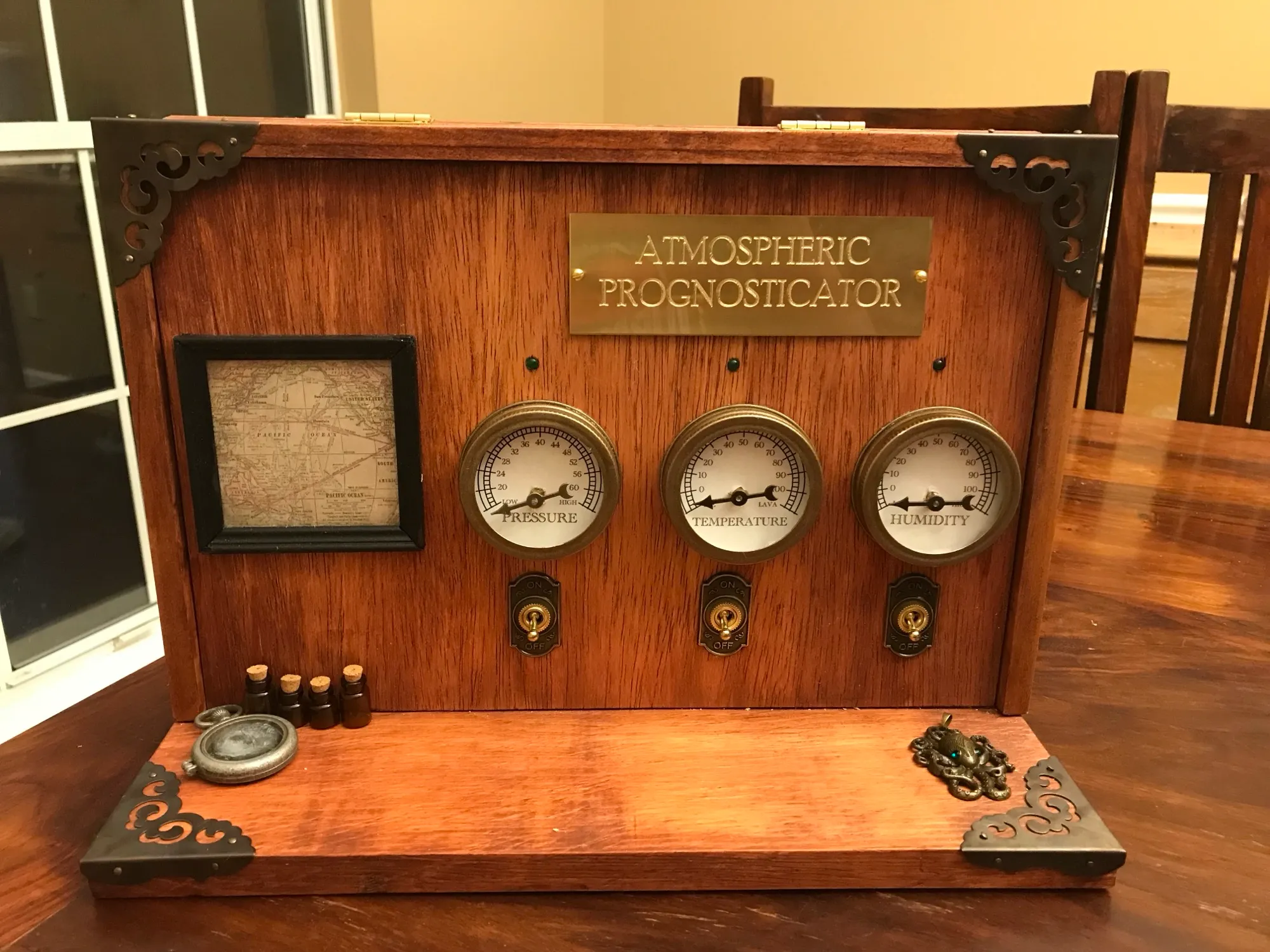
This was the very first microcontroller based project I attempted, and it was quite the learning experience! I probably shouldn’t have started by trying something with motors. I wanted a steampunk looking gadget for my home, and I wanted it to at least somewhat have a purpose. After being unable to find gauges that could be controlled via an arduino I decided to use mason jar lids, spray paint, and stepper motors. The most expensive part of this was the sign.
When you flip the switches the arduino reads the sensor and then drives the motors the number of steps I calculated to scale to a radial dial showing temperature, pressure, and humidity. While not being perfect, the results were “pretty close” which I took as a huge win and proof I paid attention in math class in middle school.
I find the wiring quite adorable now, and I remember how delicate I was when dealing with power and ground, convinced I was seconds away from electrocuting myself. One day I will give it a proper overhaul now that I actually have a 3d printer.
02 · System
03 · Source
AtmosphericPrognosticator.ino
void setup() {
  // put your setup code here, to run once:
  Serial.begin(9600);                  //begin serial monitor
  lastTeventTime = millis();           //set start time
  lastPeventTime = millis();           //set start time
  lastHeventTime = millis();           //set start time
  prevmeasureTime = millis();          //set start time
  tstepstoZero = 0;                    //set return steps as 0
  hstepstoZero = 0;                    //set return steps as 0
  pstepstoZero = 0;                    //set return steps as 0
  pinMode(tempToggle, INPUT_PULLUP);   //set toggle switch
  pinMode(pressToggle, INPUT_PULLUP);  //set toggle switch
  pinMode(humeToggle, INPUT_PULLUP);   //set toggle switch
  pinMode(tempLight, OUTPUT);          //set temp light
  pinMode(pressLight, OUTPUT);         //set the pressure light
  pinMode(humeLight, OUTPUT);          //set the pressure light
  tStepper.setSpeed(tmotSpeed);        // set up the gauges default state
  pStepper.setSpeed(tmotSpeed);        // set up the gauges default state
  hStepper.setSpeed(tmotSpeed);        // set up the gauges default state
  //tStepper.step(20);                 //use if need to reset motor position
  //hStepper.step(-100);                 //use if need to reset motor position
  //pStepper.step(600);                 //use if need to reset motor position

  unsigned status;       // start the  sensor
  status = bme.begin();  // start the  sensor

  prevTemp = 0;   // set the initial temp sensor readings to zero
  prevPress = 0;  // set the initial temp sensor readings to zero
  prevHume = 0;   // set the initial temp sensor readings to zero
}04 · Lessons
Powering the motors was harder than I thought. Ended up buying a 12 volt wall adapter to run to the motor driver boards while powering the arduino mega separately with a 9 volt battery (common ground).
Stepper motors are precise, but the lack of built in zeroing functionality stretched me for a first time ever firmware project.